
Table of Contents
- Why Local Computer Repair Alternatives Beat Big Box Stores
- Average Cost of Computer Repair: What You'll Actually Pay
- How to Choose a Computer Repair Shop That Won't Waste Your Money
- Computer Repair Turnaround Time: Same-Day vs. Standard Service
- Service Options: Basic Repair, Emergency Service, and Ongoing Support
- Data Privacy and Security: What Happens to Your Information
- Warranty and Guarantees: Your Protection After the Repair
- Preparing Your Device for Repair: A Checklist
- Frequently Asked Questions
Last Updated: October 4, 2026
Why Local Computer Repair Alternatives Beat Big Box Stores
When your laptop crashes or your phone won't turn on, the instinct is to head to the nearest big box retailer. But here's what most people don't realize: you're paying for convenience, not expertise.
At TonyV's Tech Repair, we've spent five years helping people escape the frustration of big box repair experiences. The difference is stark. Chain stores operate on volume. They have scripts, flat fees, and limited troubleshooting options.

Local repair shops work differently. We diagnose first, explain second, and charge based on what your device actually needs. No guessing. No upselling. Just honest assessment and straightforward solutions.
The real advantage of computer repair alternatives to big box stores isn't just about saving money, though that matters. It's about getting someone who takes ownership of your problem.
Average Cost of Computer Repair: What You'll Actually Pay
The cost question is where transparency matters most. Big box stores operate on fixed pricing tiers that often don't reflect the actual work involved. Local shops typically charge based on the specific issue and the time required to fix it.
For basic troubleshooting and device setup, expect to pay between $25 and $35 for a straightforward diagnosis and fix.
Emergency repairs cost more because they require priority scheduling and faster turnaround. Same-day service typically runs $85.00 and up, depending on the complexity.
Hardware upgrades like solid state drives fall into a different category. A quality Netac Internal SSD with speeds up to 560MB/s runs $34.99 for the 128GB model and scales up to higher capacities.
The key difference: you pay for what you actually need, not a predetermined service tier. A simple software fix costs less than a hardware replacement.
| Service Type | Typical Cost | What's Included | Turnaround |
|---|---|---|---|
| Basic Repair & Setup | $25.00 | Diagnosis, troubleshooting, setup, clear explanations | Same session |
| Emergency Same-Day | $85.00 | Priority service, diagnosis, repair, follow-up support | Same day |
| Hardware Upgrade | $34.99+ | SSD or component cost, varies by part | 1-2 days |
| Monthly Support Plan | $30.00 | Unlimited questions, remote help, priority scheduling | Ongoing |
How to Choose a Computer Repair Shop That Won't Waste Your Money
The biggest mistake people make is choosing a repair shop based on location or brand recognition alone. You need to evaluate three things: transparency, expertise, and how they treat you as a person.

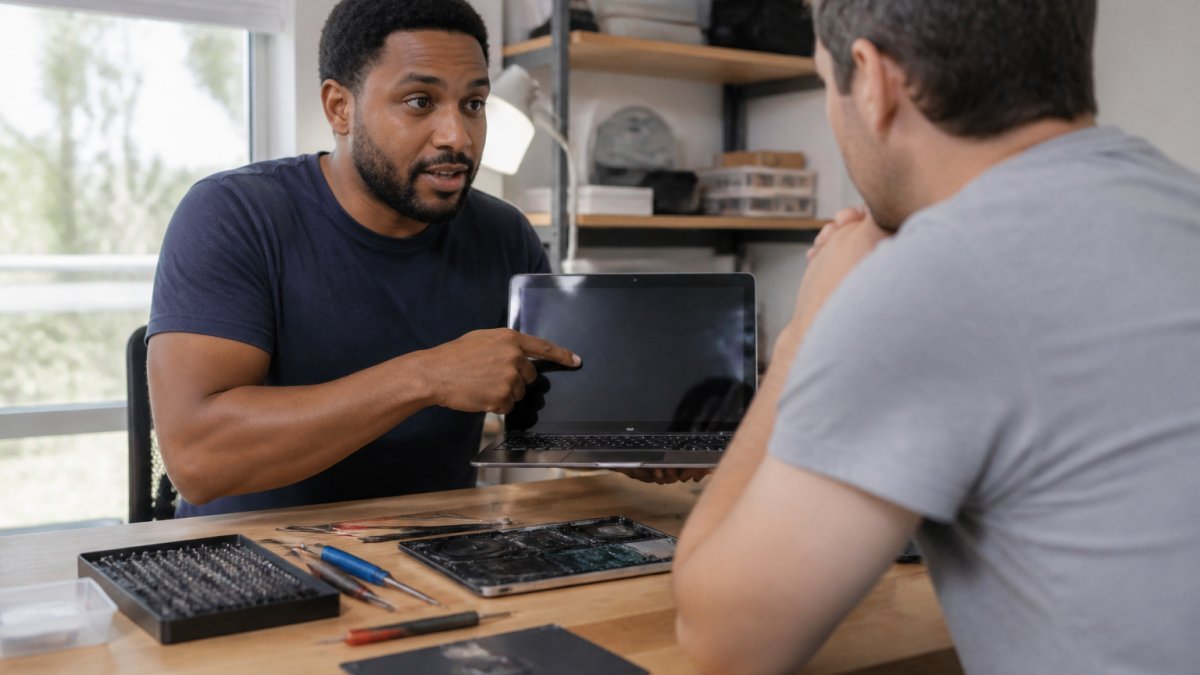
Start by asking direct questions before you commit. A trustworthy technician will answer them clearly. Ask what their diagnostic process looks like. Do they charge for diagnosis? Can they explain the issue in plain English?
Look for shops that specialize in your device type. A generalist who fixes everything from laptops to printers to smart home gear may lack the depth you need for complex issues.
Ask about their warranty or guarantee. Reputable shops stand behind their work. If something goes wrong after the repair, they should address it at no additional cost within a reasonable timeframe.
Red Flags: What to Avoid
Avoid any shop that quotes a price before diagnosing the issue. This is a sign they're guessing or operating on fixed service tiers rather than actual assessment.
Watch out for shops that pressure you into expensive upgrades or replacements when a simpler fix might work. A good technician explores all options and recommends the most cost-effective solution first.
Skip shops with no online presence or reviews. You need some way to verify they're legitimate and that other customers have had positive experiences.
Don't work with anyone who refuses to explain what's wrong in terms you understand. Technical jargon can be a way to obscure the actual problem or justify unnecessary work.
Signs of a Trustworthy Technician
The best technicians are patient and curious. They ask questions about how you use your device and what symptoms you've noticed. This information helps them narrow down the problem faster.
They explain the issue, the solution, and the cost before starting work. No surprises. No hidden fees.
They're willing to discuss trade-offs. Sometimes a repair is possible but not worth the cost compared to a used replacement. A trustworthy technician will tell you that honestly.
They offer follow-up support. If the issue returns within a reasonable timeframe, they'll troubleshoot it again without an additional charge.
Computer Repair Turnaround Time: Same-Day vs. Standard Service
Turnaround time depends on the issue and the shop's workload. For simple problems, a slow computer, a device that won't connect to Wi-Fi, a new phone that needs setup, same-day resolution is realistic.
Hardware failures take longer. If your hard drive is failing, the shop needs to source a replacement, install it, and test it. This typically takes one to two days. Some shops keep common parts in stock to speed this up.
Same-day repair service is available for urgent situations. When your device stops working and you need it back immediately, priority scheduling costs more but gets you back in business fast.
Standard service assumes a few days' turnaround. This allows the technician to order parts if needed and fit your repair into their schedule without rush fees.
The trade-off is simple: faster service costs more because it requires rearranging the technician's schedule and potentially paying expedited shipping for parts.
Service Options: Basic Repair, Emergency Service, and Ongoing Support
Different situations call for different approaches. Understanding what's available helps you choose the right service at the right price.
Tony's Tech Repair Basic: Fast Diagnosis and Setup
The most common need is fast, reliable help for a specific problem. Our Tony's Tech Repair Basic service covers expert diagnosis of your device issue, step-by-step troubleshooting and fixes, new device setup and configuration, and clear explanations without tech jargon. Starting at $25.00, most issues resolve in a single session.
This is the right choice when you have a specific problem you need solved quickly without a long appointment or unnecessary upselling.
Emergency Same-Day Repair: When You Need It Now
When your device stops working and you can't wait, priority same-day service is worth the cost. Our Emergency Same-Day Repair service includes priority same-day scheduling, expert diagnosis and repair, clear explanation of what was wrong and what was fixed, and follow-up support if the issue returns. At $85.00, this gets you back up and running as quickly as possible.
Use this when your device is critical to your day and you need it fixed today.
Monthly Tech Support Plan: Peace of Mind All Month
Some people benefit from ongoing support. The Monthly Tech Support Plan at $30.00 per month gives you unlimited tech questions via text or call, remote troubleshooting and guidance, priority scheduling for in-person visits, and device health tips and proactive advice.
This works well for seniors, small home offices, or anyone who wants reliable support without the stress of calling around when something breaks. Cancel anytime. No contracts.
Tony's Tech Installation and Setup: Getting New Devices Right
New devices often come with confusion. Setup should be straightforward, but many people end up with settings they don't understand or features they never use.
Tony's Tech Installation/Setup at $35.00 includes in-home setup at your location, device configuration and testing, a quick walkthrough so you know how to use everything, and follow-up questions welcome after the visit. Same-day or next-day availability in most cases.
This is the right choice when you buy a new device and want someone to set it up correctly from the start, so you're not fumbling through menus or calling technical support later.
Data Privacy and Security: What Happens to Your Information
Before you hand over your device, you need to know your data is safe. This is where trustworthiness matters.
Ask the shop about their data handling procedures. Do they require you to back up sensitive files before repair? Do they sign confidentiality agreements?
A reputable shop will have a clear process. They may ask you to remove sensitive data beforehand, or they may have secure storage protocols to keep your device isolated during repair.
Understand what access the technician needs. Some repairs require the technician to log into your device or access certain folders.
Ask about their security practices. Do they use encrypted storage? Do they wipe devices after repair? Do they have insurance in case of data loss?
These questions aren't paranoia. They're basic due diligence. A shop that answers them clearly is protecting you and themselves.
Warranty and Guarantees: Your Protection After the Repair
After a repair, you need assurance that the work was done right. This is where a warranty or guarantee becomes important.
Most reputable shops offer a limited warranty on their work. If the same issue returns within 30 days, they'll fix it again at no charge.
Ask the shop for their specific warranty terms before you approve the repair. Get it in writing. Know what's covered and for how long.
Understand the difference between parts warranty and labor warranty. A parts warranty covers the physical component if it fails. A labor warranty covers the technician's work if the repair doesn't hold. Both matter.
Preparing Your Device for Repair: A Checklist
Before you drop off your device, take a few steps to protect yourself and speed up the repair process.
- Back up your important files to an external drive or cloud storage
- Write down the specific symptoms you've noticed and when they started
- Remove any sensitive files or passwords from your device if possible
- Note any recent changes or events that preceded the problem
- Take a photo of your device's serial number for your records
- Ask the shop for a receipt with the issue description and estimated cost
- Confirm the warranty terms and turnaround time in writing
- Remove any personal accessories (cases, chargers, stickers) you want back
- Ask about their communication process, how will they update you on progress?
Taking these steps protects your data, speeds up diagnosis, and ensures you have a clear record of what was done and why.
Your device deserves better than a chain store script. When something breaks, you need someone who listens, diagnoses accurately, and explains the fix in terms that make sense. TonyV's Tech Repair offers honest, jargon-free troubleshooting and repair with same-day options and transparent pricing. Whether you need basic setup help starting at $25.00 or emergency same-day service, we deliver straightforward solutions without the runaround. Book a Service today and experience the difference local expertise makes.
Frequently Asked Questions
How much does computer repair usually cost compared to big box stores?
Local computer repair shops typically charge $25 to $85 per service, depending on complexity and urgency. Tony's Tech Repair Basic service starts at $25 for diagnosis and troubleshooting, while Emergency Same-Day Repair is $85. Big box chains often charge higher bench fees and mark up parts significantly. The real difference: local technicians explain what's wrong upfront, so you avoid surprise charges for fixes you don't need. Always ask for a diagnosis before committing to repair.
Why should I choose a local computer repair shop over a big box store?
Local technicians know your device personally, explain issues in plain English instead of jargon, and stand behind their work with follow-up support. Big box stores prioritize speed and upselling. Local shops offer flexibility, same-day emergency service, in-home setup, and ongoing tech support. You're not paying for corporate overhead or marketing; you're paying for expertise.
How do I know if a computer repair technician is trustworthy?
Look for technicians who diagnose first and explain findings before charging for repairs. Trustworthy shops offer warranties on their work, provide clear pricing upfront, and don't pressure you into unnecessary upgrades. Check customer reviews for mentions of honesty and jargon-free communication. Avoid shops that charge diagnostic fees without explaining what they found, or that won't guarantee their work. A good technician welcomes follow-up questions and is patient with non-technical customers.
What should I do before taking my device in for repair?
Back up your data first, use cloud storage, an external hard drive, or ask your technician about backup options during setup. Write down exactly what's wrong (slow startup, won't turn on, freezing apps). Remove any personal items from the device. Ask about data privacy policies before handing it over. Bring proof of purchase if the device is under warranty. For setup services like Tony's Tech Installation, have your passwords ready and know which accounts you want configured. Clear communication upfront prevents surprises and faster service.