
Table of Contents
- Quick Comparison: Top 5 Smart Home Devices for Seniors
- 1. Voice-Activated Assistants and Smart Displays
- 2. Smart Lighting and Automated Illumination
- 3. Home Security Systems and Video Doorbells
- 4. Smart Medication Management and Pill Dispensers
- 5. Fall Detection and Emergency Response Sensors
- Best Smart Home Devices for Aging in Place: Key Considerations
- How to Set Up Smart Home Devices for Seniors
- Frequently Asked Questions
Last Updated: September 16, 2026
Quick Comparison: Top 5 Smart Home Devices for Seniors
The best smart home devices for seniors are the ones that solve a specific daily problem without demanding a new set of skills. This guide from TonyV's Tech Repair covers the top 5 smart home devices for seniors in 2026, ranked by how much independence they actually restore.

Voice-activated assistants, automated lighting, security systems, pill dispensers, and fall detection sensors top the list because each one removes a friction point that can push an older adult toward assisted living. Below, we break down what each device does well, where it falls short, and what it costs to keep running.
| Device Category | Primary Benefit | Ongoing Cost | Setup Difficulty |
|---|---|---|---|
| Voice assistants & displays | Hands-free control, reminders | None to low | Easy |
| Smart lighting | Safety, automated illumination | None | Moderate |
| Security & video doorbells | Remote monitoring, peace of mind | Low to moderate | Moderate |
| Medication dispensers | Medication adherence | Moderate | Easy |
| Fall detection sensors | Emergency response | Moderate to high | Moderate |
Many families find that starting with one device and adding others over time works better than installing everything at once.
1. Voice-Activated Assistants and Smart Displays
Voice-activated assistants are the entry point for most smart home setups because they require no screen navigation and no learning curve. A senior simply speaks, and the device responds. Smart displays add a visual layer for video calls, reminders, and medication prompts.
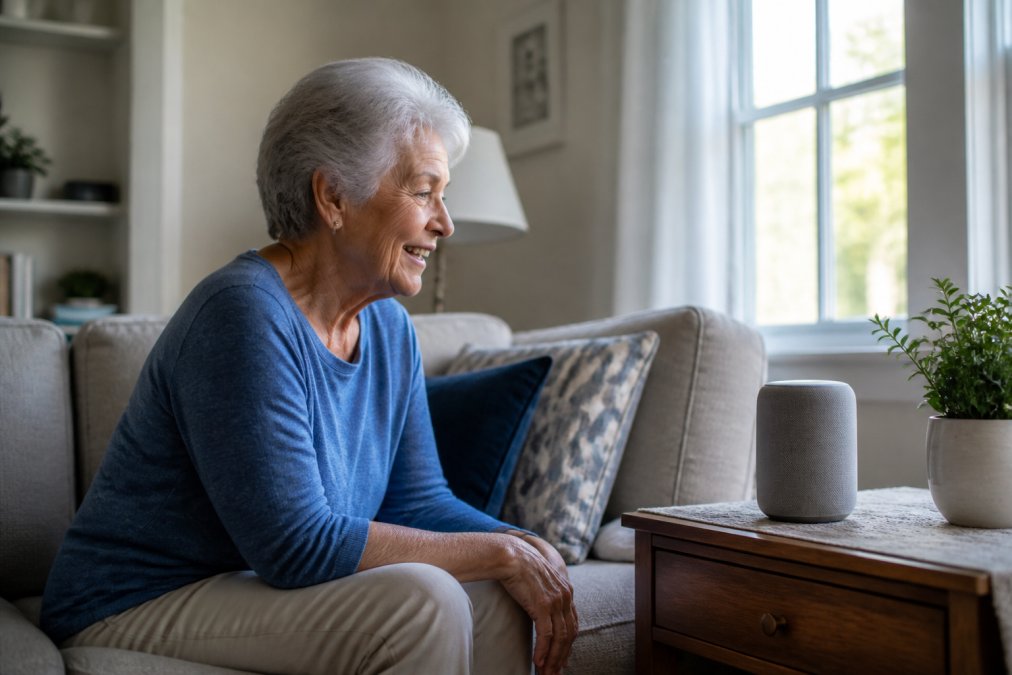
What makes these devices work for independent living is their hands-free control. Someone with arthritis or limited mobility can turn off lights, call a family member, or set a timer without standing up. Accessibility features like larger text and voice confirmation make them usable for people who struggle with small buttons.
The catch: always-on microphones raise privacy questions. A common mistake is placing a device in a bedroom without reviewing the mute settings first.
2. Smart Lighting and Automated Illumination
Smart lighting prevents falls by making sure hallways, bathrooms, and stairwells are never dark. Motion detection triggers lights automatically, so no one has to find a switch in the middle of the night.
Automated lighting also cuts electricity waste. Lights turn off when a room is empty, which matters for budget-conscious households. A smart hub or a simple app controls schedules, and voice commands handle the rest.
Where this category falls short is installation. Some bulbs need a hub, some work over Wi-Fi, and older wiring can complicate things.
3. Home Security Systems and Video Doorbells
Home security systems and video doorbells give family members remote monitoring without requiring the senior to manage anything. Real-time alerts go to a caregiver's phone when someone approaches the door or when motion is detected. For a parent who lives alone, that single notification can replace a dozen daily check-in calls.
- Video doorbells (Ring, Google Nest Doorbell, Arlo), a camera, a microphone, and a speaker at the front door. The senior answers from the couch or a caregiver answers from another state. This is the highest-value single purchase for most households.
- Indoor and outdoor cameras, useful for hallways, back doors, and the garage. Look for models with person detection rather than plain motion detection, because a tree branch in the wind will otherwise trigger alerts all night.
- Full monitored systems (SimpliSafe, ADT, Ring Alarm), door and window sensors plus a professional monitoring center that calls emergency services when an alarm trips and no one responds.
What actually matters when choosing
- Power and connectivity. Battery doorbells last three to six months per charge; wired models never need charging but require existing doorbell wiring. If the senior cannot climb a step stool, a wired or plug-in model is the safer choice.
- Local vs. cloud storage. Some cameras record to a microSD card in the device with no monthly fee. Cloud recording is more reliable after a break-in but almost always requires a subscription.
- Two-way audio quality. Cheap doorbells sound like a drive-through speaker. If the senior has hearing loss, test the audio before committing.
- Shared access. Every major platform lets you add a caregiver as a second user so both phones receive alerts. Set this up during installation, not after an incident.
The subscription math most guides skip
Privacy and data security
4. Smart Medication Management and Pill Dispensers
Smart pill dispensers address one of the most common reasons seniors lose independence: missed or doubled doses. These devices sort medications by day and time, then alert the user when it is time to take them.
5. Fall Detection and Emergency Response Sensors
Fall detection sensors are the safety net that makes aging in place realistic. These devices use motion detection and wearable accelerometers to identify a fall and trigger an emergency response automatically. Unlike a traditional medical alert button, fall detection works even if the wearer is unconscious or unable to press anything. That difference matters in a real emergency.
How the technology actually works
- Wearable pendants and watches (Apple Watch, Medical Guardian, Bay Alarm Medical) use an accelerometer and gyroscope to recognize the sudden drop-and-stop pattern of a fall. They only work if the device is being worn, a pendant left on the nightstand detects nothing.
- Wall-mounted radar and mmWave sensors (Vayyar Care, Nobi) detect a fall without any wearable at all. They are the better fit for a senior who refuses to wear a pendant, but they cover one room each and cost more per room.
The honest limitations
What the monthly cost really covers
Choosing between fall detection and a basic alert button
Best Smart Home Devices for Aging in Place: Key Considerations
If installation feels overwhelming, TonyV's Tech Repair handles in-home setup, device configuration, and a walkthrough so you actually know how to use what you bought.
How to Set Up Smart Home Devices for Seniors
Setting up smart home devices for seniors works best in stages, not all at once. Start with the device that solves the biggest daily problem, get comfortable with it, then add the next one.
What You'll Need:
- A stable Wi-Fi network covering the rooms in use
- The senior's phone or tablet for app setup
- Account logins for each device
- A caregiver or helper for the first session
Frequently Asked Questions
What are the best smart home devices for elderly people?
The best smart home devices for elderly people depend on individual needs. Voice-activated assistants and smart displays offer hands-free control and easy communication. Smart lighting improves visibility and safety. Video doorbells provide peace of mind by showing who is at the door. Medication dispensers help with adherence, and fall detection sensors can call for help automatically. Focus on devices that are easy to use and fit your daily routine.
How can smart home technology help seniors age in place?
Smart home technology supports aging in place by making daily tasks safer and easier. Voice commands can control lights, thermostats, and entertainment without moving around. Fall detection sensors and emergency response systems can alert caregivers if something goes wrong. Remote monitoring lets family members check in without being intrusive. These tools can extend independent living and reduce the need for assisted living facilities.
Are smart home devices easy for seniors to use?
Many smart home devices are designed with user-friendly interfaces, but setup and daily use can still be challenging for some. Voice-activated assistants are often the easiest starting point because they require no screen navigation. Smart displays with large icons and simple menus also help. Professional setup services can configure devices and provide a walkthrough, making the technology much more accessible.
Do smart home devices require a monthly subscription?
Some smart home devices work without any subscription, while others charge monthly fees for extra features. For example, video doorbells often require a subscription to store recorded clips. Fall detection sensors may have a monthly monitoring fee. Before buying, check whether the device works fully offline or if a subscription is needed for the features you want. Budget for these ongoing costs if you choose subscription-based devices.
What are the most essential smart home safety features for seniors?
Essential smart home safety features for seniors include fall detection, emergency response buttons, and automated lighting that prevents trips in the dark. Video doorbells help screen visitors without opening the door. Smart locks allow keyless entry for caregivers. Medication reminders reduce the risk of missed doses. Prioritize features that address your specific safety concerns and are easy to operate.
Getting the right devices is only half the job. The other half is making sure they actually work, stay connected, and make sense to the person using them. TonyV's Tech Repair offers honest, jargon-free setup and support, from the Monthly Tech Support Plan with unlimited questions to same-day repair when something breaks. Book a service with TonyV's Tech Repair and get your smart home running the way it should.