
Table of Contents
- What Affordable Laptop Repair Near Me Actually Costs in 2026
- Common Laptop Problems and What They Cost to Fix
- Average Cost of Laptop Screen Replacement
- Laptop Repair vs Replacement Cost Analysis
- How to Choose a Reliable Computer Repair Shop
- Same-Day and Emergency Laptop Repair: What to Expect
- Protecting Your Data and Your Privacy During Repair
- Frequently Asked Questions
Last Updated: September 13, 2026
What Affordable Laptop Repair Near Me Actually Costs in 2026
Finding affordable laptop repair near me starts with knowing what a fair price looks like. At TonyV's Tech Repair, we believe in upfront explanations so you know what to expect.

A screen replacement or battery swap usually costs far less than replacing the machine. Get an honest diagnosis, then a written estimate before any work begins.
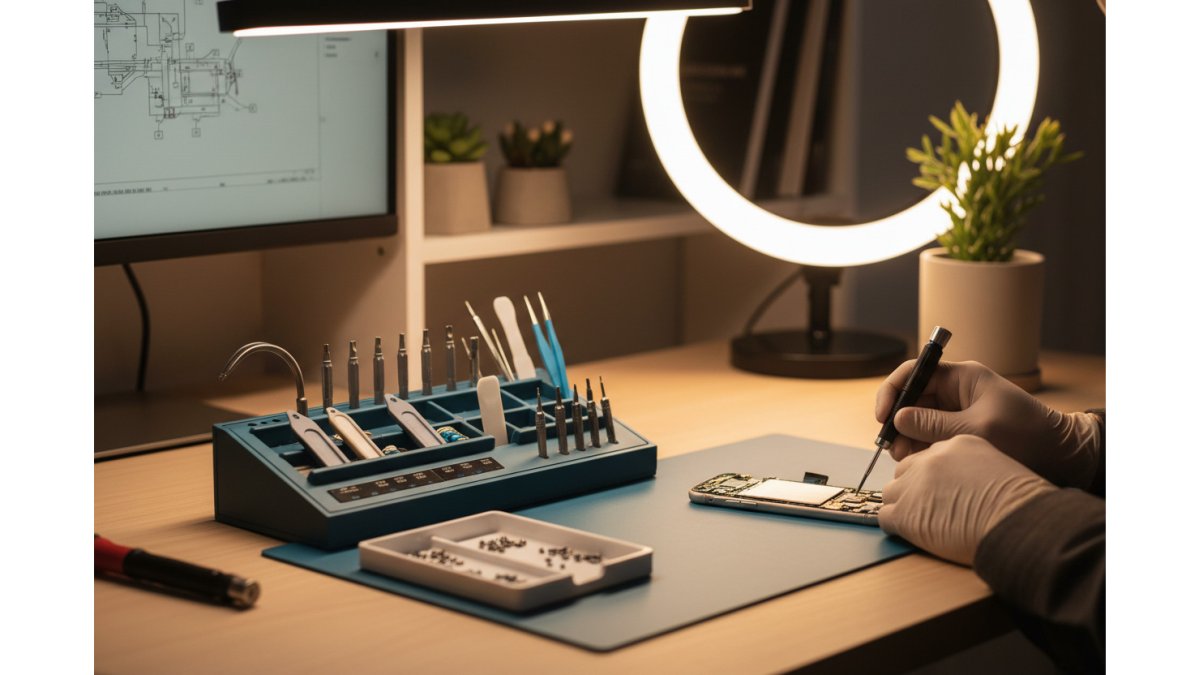
Typical Price Ranges by Repair Type
Prices vary by part and labor, but most shops quote within a narrow band. Diagnostic fees may apply, but are often credited toward the repair cost:
| Repair Type | Typical Range | Notes |
|---|---|---|
| Screen replacement | $100-$300 | Depends on size and panel type |
| Battery replacement | $60-$150 | Most common on older laptops |
| Keyboard replacement | $50-$150 | Higher on soldered models |
| Charging port repair | $75-$200 | Often needs soldering |
| Software tune-up | $40-$100 | Virus removal, OS reinstall |
Why Local Shops Often Beat Big-Box Prices
Local shops often have lower overhead, which can translate to more competitive pricing. Ask for a flat estimate and a clear explanation of what's broken.
Common Laptop Problems and What They Cost to Fix
Most laptops on a repair bench have one of a handful of problems. Knowing which category yours falls into helps predict cost and turnaround time.
Hardware Issues: Screens, Batteries, Keyboards, and Ports
Hardware failures show up as physical symptoms: a cracked screen, a battery that dies in minutes, keys that don't register, or a charging port that only works at an angle. Component-level repair, where the technician fixes the board rather than replacing it, can be a cost-effective solution for some charging port and motherboard issues. A solid state drive upgrade is one of the best value repairs you can buy.

Software and Performance Problems
Software corruption, virus removal, and OS reinstallation are usually the cheapest fixes. If your laptop is slow but the hardware is fine, a tune-up and RAM upgrade may be all it needs. Thermal paste and fan cleaning also restore performance on overheating machines.
Average Cost of Laptop Screen Replacement
The average cost of laptop screen replacement in 2026 runs roughly $100 to $300 for most consumer models, depending on screen size, touch panel, and how easy the model is to open (The FTC weighs in on repair restrictions).
A common mistake is buying the cheapest replacement panel online and finding it doesn't match the connector. Sourcing the correct part is crucial for a successful repair. If your screen is cracked but the laptop still works, back up your data before the display fails.
Laptop Repair vs Replacement Cost Analysis
A laptop repair vs replacement cost analysis usually favors repair when the fix costs less than half a new machine (the EPA). If a screen or battery swap keeps a working laptop alive another two or three years, repair is the smarter move.

Replacement makes sense when the motherboard has failed on an older machine, or when multiple major components fail at once. Repair also reduces e-waste (the EPA).
| Factor | Repair | Replace |
|---|---|---|
| Upfront cost | Lower | Higher |
| Data retention | Keeps your files | Requires migration |
| Device longevity | Extends 2-3 years | Starts fresh |
| Best when | One part fails | Board + multiple parts fail |
How to Choose a Reliable Computer Repair Shop
Choosing a reliable computer repair shop comes down to verifiable transparency: a written estimate, a stated turnaround time, and a warranty you can read before you pay. A trustworthy shop explains the problem in plain language, shows you the failed part, and never pressures you into an unauthorized repair.
The strongest signal is process. Ask the shop to walk you through its intake steps before you hand over the device. A professional workflow includes a documented diagnostic, a written estimate with parts and labor broken out, a repair authorization you sign, and a warranty statement on the invoice. If any step is missing, treat it as a warning sign.
Credentials and Certifications Worth Asking About
While specific badges aren't always necessary, asking about a shop's experience and parts sourcing can help reduce risk. For hardware, ask whether replacements are OEM or compatible third-party parts, and get the answer in writing.
Asking about a shop's operating history and insurance can provide peace of mind.
Scam Red Flags to Watch For
The biggest red flag is a shop that charges a diagnostic fee and then says the device "isn't worth fixing" without showing you why. Others quote low, then add charges once your laptop is on the bench. Watch for these patterns:
- No written estimate. Verbal quotes that change after teardown are the most common complaint pattern in consumer repair disputes.
- Refusal to return original parts. You paid for the old screen, battery, or drive. A legitimate shop returns them on request.
- Pressure to replace instead of repair. If every diagnosis ends in "buy a new one," ask for a second opinion.
- No physical address or only a drop-box. You should be able to walk into the shop where your device is being worked on.
- Cash-only payment with no receipt. A receipt is your warranty document. No receipt, no enforceable warranty.
- Requests for your account passwords when the repair doesn't require them. A screen swap never needs your email login.
- Unsolicited upselling during the repair. A call that adds three unrelated "urgent" fixes is a classic pressure tactic.
Questions to Ask Before You Hand Over Your Laptop
Before you leave your device, get answers to these in writing:
- What's the total price, including parts, labor, tax, and any diagnostic fee?
- Is the estimate binding, or can it change after teardown, and if so, will you call me before proceeding?
- How long will the turnaround time be, and what happens if a part is backordered?
- What is the warranty length and what does it cover, parts only, or parts and labor?
- Will you back up my data first, and is that included or an extra charge?
- Are the replacement parts OEM, manufacturer-authorized, or aftermarket?
- Can I get the estimate and warranty terms in writing before I leave?
How to Compare Two Quotes Fairly
When you have two estimates, compare line items, not totals. A $180 quote with an OEM panel and a 90-day parts-and-labor warranty is often cheaper over time than a $120 quote with an aftermarket panel and a 14-day parts-only warranty. Ask each shop the same questions in the same order and score the answers side by side.
Same-Day and Emergency Laptop Repair: What to Expect
Same-day laptop repair is realistic for battery swaps, software fixes, and many screen replacements, provided the shop stocks the part. Emergency service prioritizes your device so you're not waiting days for a diagnosis.
When you need it fixed today, call ahead and describe the symptoms. A shop offering emergency same-day repair can often resolve the issue in one session. Expect a higher priority fee, but far less disruption than shipping a device off for a week.
Protecting Your Data and Your Privacy During Repair
Your files, saved passwords, and signed-in accounts are worth far more than the repair itself. A repair is exactly when your device is most exposed: it leaves your possession, sits on a stranger's bench, and may be powered on by someone else. A short privacy routine before and after the repair removes almost all of the risk.
Before You Hand Over the Device
Work through this list in order. It takes about fifteen minutes and prevents the most common privacy problems.
- Back up your data. Copy your important files to an external drive or a cloud account you control. If the repair involves storage or the motherboard, assume the drive may be wiped or replaced. A backup is also your insurance if the shop damages the drive.
- Sign out of cloud and sync accounts. Sign out of iCloud, Google, Microsoft, Dropbox, and any password manager or browser sync. This prevents the technician's test logins from pulling your data into a shared profile.
- Turn off automatic sign-in and remove saved browser passwords. In Chrome, Edge, and Safari, clear saved passwords or disable autofill for the session. If you use a password manager, lock it and require your master password on every launch.
- Enable a firmware or BIOS password if your model supports it. This stops casual snooping during a hardware repair. Just tell the technician the password in writing so they can test the machine, and change it after the repair.
- Remove physical media. Eject SD cards, USB drives, and any dongles. Small storage is easy to lose on a bench.
- Note what's on the drive. Write down the folders or files you care about most. If the shop offers a data backup as part of the repair, confirm in writing that your data will be preserved and not overwritten.
- Ask about the wipe-and-reinstall policy. Some repairs (especially OS reinstalls or drive swaps) require a clean install. Confirm before the work starts whether your data will be migrated, preserved, or erased.
During the Repair
Ask the shop how it handles devices in progress. A professional workflow keeps customer machines in a locked area, logs who has the device and when, and never connects your laptop to an unsecured public network. If testing Wi-Fi or drivers requires a connection, ask them to use a guest network.
If the repair involves a drive replacement, ask whether the old drive will be returned to you. You want it back, both for the data on it and so you can wipe it yourself before disposal.
After You Get the Laptop Back
Do a short verification pass before you resume normal use:
- Check for new user accounts. Open your OS account settings and confirm no unfamiliar profiles were created.
- Review recent sign-ins. Check your Google, Microsoft, or Apple account's recent activity page for logins you don't recognize.
- Re-enable your security software. Confirm your antivirus, firewall, and OS updates are still active and not disabled.
- Change your firmware/BIOS password if you set one before the repair.
- Re-sign into cloud accounts and re-enable sync and password manager autofill.
- Wipe the old drive if it was replaced, using your OS's built-in secure erase or disk utility before recycling or storing it.
If You'd Rather Not Hand Over Your Data at All
You have options. Ask whether the shop can repair with the drive removed, or whether you can bring a blank drive for testing and keep your original at home. For software-only issues, ask whether it can work on a temporary user profile rather than your main account. Many independent shops accommodate these requests, and a shop that refuses is telling you something about how it treats customer data.
Device longevity and privacy both depend on choosing a shop that treats your information as carefully as the hardware. The fifteen minutes before the repair is the cheapest insurance you'll ever buy.
Frequently Asked Questions
How much does a laptop repair usually cost?
Most common repairs fall between $25 and $250 depending on the issue. A basic diagnostic and software fix often starts around $25, while screen replacement and motherboard repair cost more because of parts and labor. At TonyV's Tech Repair, a Basic Repair Service starts at $25, and Emergency Same-Day Repair is $85. Always ask for a written price estimate before work begins.
Is it cheaper to repair my laptop or replace it?
Run the math: if the repair costs less than half the price of a comparable new laptop, repair usually wins. A $150 screen replacement on a two-year-old machine beats spending $600 on a new one. But if the motherboard is failing and the laptop is five or more years old, replacement may make more sense. Ask your technician for an honest repair vs replacement cost analysis before deciding.
What should I look for when choosing a reliable computer repair shop?
Look for a written price estimate before work starts, a clear warranty on parts and labor, and a shop that explains things in plain language. Ask whether they offer same-day turnaround, whether they will return your old parts, and how they handle your data. Local shops that answer these questions directly can offer personalized service.
Do I need to back up my data before taking my laptop in for repair?
Yes, always back up your data first. Most repairs do not touch your files, but a hard drive upgrade, operating system reinstallation, or virus removal can put data at risk. Copy important documents, photos, and passwords to an external drive or cloud service. A trustworthy shop will also ask about your data and explain what happens to it during the repair.
A broken laptop shouldn't cost you a fortune or your peace of mind. At TonyV's Tech Repair, we offer honest, jargon-free diagnosis and repair with no runaround, backed by five years of hands-on experience and same-day emergency options when you can't wait. Whether you need a simple tune-up or a full screen replacement, our neighborhood service keeps your devices working smoothly. Get started with TonyV's Tech Repair and get your laptop back to working order today.