
Table of Contents
- What a Computer Diagnostic Actually Checks
- Common Hardware Problems That Require Diagnostic Testing
- Software Issues, Corruption, and Error Messages
- How Technicians Identify the Root Cause
- Computer Diagnostic Cost Breakdown
- What Does a Computer Diagnostic Include
- Diagnostic Fee Applied to Repair: How It Works
- Computer Repair Estimate and What to Ask Before Approving
- Frequently Asked Questions
Last Updated: October 9, 2026
What a Computer Diagnostic Actually Checks
A computer diagnostic systematically examines your device's hardware, software, and security to pinpoint the exact issue, a failing hard drive, corrupted software, or malware. It takes time, skill, and specialized equipment, which is why repair shops charge a computer diagnostic fee.
At TonyV's Tech Repair, you're paying for expertise, testing tools, and the time to find what's actually wrong so we can give an honest repair recommendation.

Hardware Testing
Your hardware includes the motherboard, hard drive, power supply, RAM, and more. A technician tests these parts for failure or damage.
Hardware testing might involve:
- Running stress tests on the processor and RAM
- Checking the hard drive for bad sectors or mechanical failure
- Testing the power supply to ensure it's delivering correct voltage
If your device won't turn on, crashes randomly, or makes strange noises, hardware testing isolates the culprit.
Software and Operating System Scan
Software problems are harder to spot than hardware failures because you can't see them. A technician scans your operating system for corrupted files, missing updates, driver conflicts, and system errors.
This includes:
- Checking for Windows or macOS updates that need installing
- Scanning for corrupted system files that cause crashes
- Looking for driver issues that prevent hardware from working
Software corruption happens gradually: your device might run fine for months, then suddenly freeze or refuse to start. A diagnostic reveals whether a repair fixes it or the OS needs reinstalling.
Security and Malware Check
Malware, viruses, and spyware often hide silently, stealing data or slowing performance. A technician uses security scanning tools to detect infections regular antivirus might miss.
Security scanning looks for:
- Active malware or virus infections
- Spyware tracking your activity
- Ransomware that locks your files
If your computer runs slowly, shows pop-up ads, or behaves strangely, malware could be the cause. A security scan confirms whether an infection exists and how serious it is.
Common Hardware Problems That Require Diagnostic Testing
Hardware failures are among the most common reasons people bring computers to repair shops. Each type has different symptoms, and a diagnostic test identifies which component is failing.
Storage and Hard Drive Failures
Your hard drive stores all your files, programs, and the operating system. When it fails, your entire computer stops working, suddenly or gradually.
Signs of hard drive problems include:
- Your computer won't start or boot very slowly
- Files disappear or become corrupted
- You hear clicking, beeping, or grinding sounds from inside the case
A technician tests the hard drive with diagnostic software that checks for bad sectors, mechanical damage, and read/write errors. A failing drive may need replacement; corrupted files may be recoverable.
Motherboard and Power Supply Issues
The motherboard connects all your components, and the power supply delivers electricity to every part. If either fails, your computer won't function.
Motherboard and power supply problems show up as:
- Computer won't turn on at all
- Device turns on briefly then shuts down
- Random shutdowns or restarts during normal use
Testing these components requires specialized equipment, like a multimeter to check power supply voltage or diagnostic software to verify the motherboard sends and receives data correctly.
Screen Damage and Overheating
Laptops often suffer screen damage from drops or pressure. Overheating happens when dust clogs cooling vents or fans fail.
Screen and cooling issues present as:
- Cracked, flickering, or completely black display
- Device shutting down after a few minutes of use
- Fan running constantly at high speed
A diagnostic identifies whether the screen is physically damaged or the connection is loose. For overheating, a technician checks fan operation, clears dust, and tests internal temperatures under load.
Software Issues, Corruption, and Error Messages
Not every computer problem is hardware. Software corruption, missing updates, and conflicting programs cause crashes, freezes, and error messages just as often.
Software problems develop gradually: your device works fine for months, then starts showing errors. A diagnostic examines your OS, installed programs, and system logs to find what broke.
Common software issues include:
- Operating system corruption from incomplete updates or forced shutdowns
- Conflicting drivers that prevent hardware from working
- Bloated startup programs that slow boot time
A technician runs system scans and checks error logs to pinpoint software problems.
How Technicians Identify the Root Cause
Identifying the root cause is detective work.
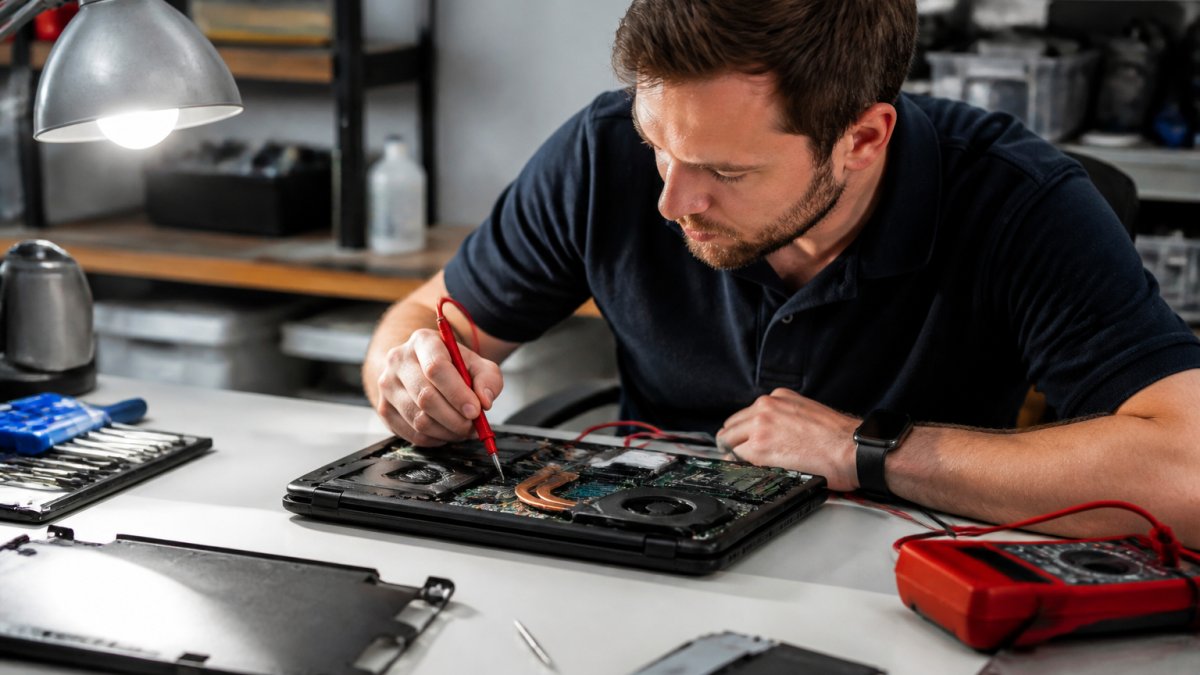
The process follows a logical sequence. First, the technician gathers information: your symptoms, when the problem started, and what you were doing when it happened.
Next comes testing.
Diagnostic Equipment and Testing Tools
Professional technicians use specialized equipment beyond what regular users have at home.
Common diagnostic tools include:
- Diagnostic software that tests hardware components under stress
- Multimeters that measure electrical voltage and continuity
- Thermal imaging cameras that detect overheating
These tools cost money to purchase and maintain. Software subscriptions need regular updates. Technicians need training to use them correctly. That's part of what you're paying for in a diagnostic fee. Operational overhead often extends beyond the initial purchase price, as hidden maintenance fees frequently accumulate within the complex ecosystem of professional service platforms.
Technician Expertise and Testing Time
A technician's knowledge and experience are valuable. Someone who's repaired thousands of computers recognizes patterns a beginner would miss, knows which tests to run first, and interprets results accurately.
Testing takes time. A basic scan might take 30 minutes; a thorough diagnostic covering all hardware, malware, the OS, and error logs can take 1-2 hours or more.
You're paying for:
- Time spent running tests and analyzing results
- Experience in interpreting what the tests mean
- Knowledge of common failure patterns
- Honest assessment of whether repair is worth the cost
Computer Diagnostic Cost Breakdown
Computer diagnostic fees vary based on what's tested and how long it takes. Understanding what affects the price helps you judge whether a fee is reasonable.
What Changes the Price
Several factors influence how much a technician charges for a diagnostic:
Complexity of the problem. A device that won't turn on requires more testing than one running slowly. Some problems are obvious; others take hours to pinpoint.
Type of device. Diagnosing a desktop differs from a laptop, and some devices have components that are harder to access or test.
Technician experience. A shop with senior technicians charging premium rates costs more than a newer repair shop. You're paying for expertise.
Equipment and tools needed. Some diagnostics require specialized testing equipment. Others just need software tools.
At TonyV's Tech Repair, our Tony's Tech Repair Basic service starts at $25 and includes expert diagnosis of your device issue with step-by-step troubleshooting and clear explanations, no tech jargon. For more complex problems or if you need same-day priority service, our Emergency/Same-Day Repair service is available at $85 and includes priority testing and diagnosis.

Remote vs. In-Store vs. On-Site Diagnostics
Where the diagnostic happens affects price and thoroughness.
Remote diagnostics happen over the phone or video call, with the technician guiding you through basic troubleshooting.
In-store diagnostics happen at a repair shop, where your device stays while technicians run full hardware and software tests.
On-site diagnostics happen at your home or office. A technician tests your device in its normal environment and can check network issues that wouldn't show up elsewhere.
TonyV's Tech Repair offers flexible options. Our Tony's Tech Installation/Setup service at $35 includes in-home setup and configuration, or you can bring your device to us for in-store testing.

What Does a Computer Diagnostic Include
A full computer diagnostic is more comprehensive than many people expect. It's not just "turning it on and seeing what happens."
A complete diagnostic should include:
- Hardware testing: Stress tests on processor, RAM, hard drive, and power supply
- Software scanning: Operating system integrity check and corruption detection
- Malware and security scan: Detection of viruses, spyware, and other threats
- Error log review: Analysis of system errors and crash reports
The diagnostic produces a report explaining what was found, what's working, what's failing, and what needs fixing. You get it before approving any repair work.
Diagnostic Fee Applied to Repair: How It Works
Many shops, including TonyV's Tech Repair, apply the diagnostic fee toward repair costs if you approve the repair, so you don't pay twice.
Fee Credit Toward Repair Work
Here's how it typically works: You pay a diagnostic fee to identify the problem. The technician gives you a repair estimate.
Example: If the diagnostic fee is $25 and the repair costs $100, you pay $75 total ($25 diagnostic + $75 repair).
This is fair to both sides: you get an honest diagnosis without paying for testing you don't use, and the shop gets paid for its time and expertise.
When Repair Is Not Recommended
Sometimes a diagnostic reveals repair isn't worth the cost, the device is too old, the repair costs more than replacement, or the damage is too extensive.
A good technician tells you honestly if repair doesn't make sense rather than pushing an expensive fix for a device at the end of its life.
Computer Repair Estimate and What to Ask Before Approving
Before approving any repair, understand exactly what's being fixed, how much it costs, and what happens if something goes wrong.
Questions to Ask Your Technician
Ask these questions before approving repair work:
- What exactly is broken? Get a clear explanation in plain language, not technical jargon.
- What's the repair cost? Know the total price before work begins, and ask about any additional costs that might come up.
- How long will it take? Understand whether repair takes a few hours or several days.
- Will the diagnostic fee be credited? Confirm that your diagnostic payment reduces the repair cost.
These questions protect you from unexpected costs or outcomes.
Data Privacy During Diagnostics
When your computer goes to a repair shop, your personal files, passwords, and sensitive information go with it.
Ask your technician about data privacy:
- How is my data protected during testing? Technicians should not access your personal files unless necessary for diagnosis.
- Who has access to my device? Know whether multiple people will work on your computer.
- How is my data handled if the hard drive needs replacement? Ask whether files can be backed up before the drive is replaced.
- What happens to my device after repair? Confirm that your device is securely wiped of any test data before you get it back.
TonyV's Tech Repair treats your privacy seriously. We explain what we're testing and why, and we don't access your personal files without permission.
Computer diagnostic fees exist because identifying the root cause of a device problem requires time, expertise, and equipment.
Frequently Asked Questions
How much should a computer diagnostic cost?
Computer diagnostic fees typically range from $25 to $100, depending on the complexity of the problem, the technician's expertise, and whether the work is done remotely or on-site. TonyV's Tech Repair offers a Basic Repair Service starting at $25 for fast, reliable diagnosis and troubleshooting. Remote diagnostics cost less than in-store or on-site visits because they require less time and equipment. The fee often gets credited toward repair costs if you approve the recommended fix.
What does a computer diagnostic include?
A computer diagnostic includes testing hardware components (hard drive, motherboard, power supply, RAM), scanning the operating system for errors and corruption, checking for malware and security threats, and identifying error messages or fault codes. The technician runs diagnostic tests using specialized equipment and software to pinpoint the exact cause of your problem. A full diagnostic gives you a clear repair recommendation and estimate before any work begins.
Do computer repair shops apply the diagnostic fee toward the repair?
Many shops, including TonyV's Tech Repair, credit the diagnostic fee toward your repair bill if you approve the recommended work. This means you're not paying twice. However, if you decline the repair or take your device elsewhere, the diagnostic fee is typically non-refundable because the technician's time and expertise have already been spent identifying the problem.
Why do computer repair shops charge for diagnostics?
Diagnostic fees pay for technician labor, specialized testing equipment, and the time spent identifying the root cause of your problem. Diagnosing a computer issue correctly requires expertise and often takes 30 minutes to several hours, depending on how hidden the problem is. The fee ensures you get an accurate repair estimate and prevents shops from absorbing the cost of unpaid diagnostics. It also protects customers by providing a clear picture of what's wrong before money is spent on repairs.