
Table of Contents
- What Local Computer Repair Services Actually Include
- How to Describe a Computer Problem Without the Tech Jargon
- Questions to Ask a Computer Repair Technician Before You Hand Over Your Device
- Understanding Computer Repair Cost and Getting a Fair Estimate
- Computer Repair Glossary: Plain-English Explanations of Terms You'll Hear
- What to Expect During Your Local Computer Repair Appointment
- Data Privacy and Backups: Protecting Your Information During Repair
- Frequently Asked Questions
Last Updated: October 11, 2026
What Local Computer Repair Services Actually Include
When your computer stops working, it helps to know what a repair technician can actually fix for you. Local computer repair covers many problems, from software issues to hardware failures. At TonyV's Tech Repair, we explain what's happening in plain English, not tech jargon.
Here's what local computer repair services typically include:
- Device troubleshooting and diagnosis, We identify what's wrong with your computer, laptop, or desktop
- Software repairs, Removing viruses, malware, and unwanted programs that slow your system down
- Hardware repairs, Fixing broken screens, keyboards, hard drives, and other physical components
- New device setup, Getting your new computer, laptop, or tablet ready to use
- Network and internet issues, Solving WiFi problems and connection troubles
- Data recovery, Retrieving files from damaged or crashed drives when possible
- System performance improvements, Making slow computers run faster again
- Backup and storage solutions, Setting up safe places for your important files
The key difference with a local computer repair shop is that you get someone who takes time to explain what happened and why. You're not just dropping off your device and hoping for the best.

How to Describe a Computer Problem Without the Tech Jargon
One of the biggest concerns people have is not knowing how to explain what's wrong. You don't need to be a tech expert to get help. Most technicians have heard every problem description imaginable.
Here's how to describe your computer problem clearly:
Start with what you see:
- Does the screen go black?
- Are there error messages appearing?
- Is the device making strange noises?
- Does it freeze or run very slowly?
- Won't it turn on at all?
Describe what you were doing when it happened:
- Were you using a specific program?
- Had you just downloaded something?
- Did it happen after an update?
- Were you on the internet when the problem started?
Explain what's different now:
- It used to be fast, now it's slow
- It used to turn on, now it doesn't
- Programs are crashing when they never did before
- The screen flickers or looks wrong
A good approach is to say: "My laptop was working fine, but now when I open email, it takes forever to load. Sometimes it just freezes completely." You don't need to say things like "my RAM is maxed out" or "there's a process running in the background." Just describe what you see and what changed.
Questions to Ask a Computer Repair Technician Before You Hand Over Your Device
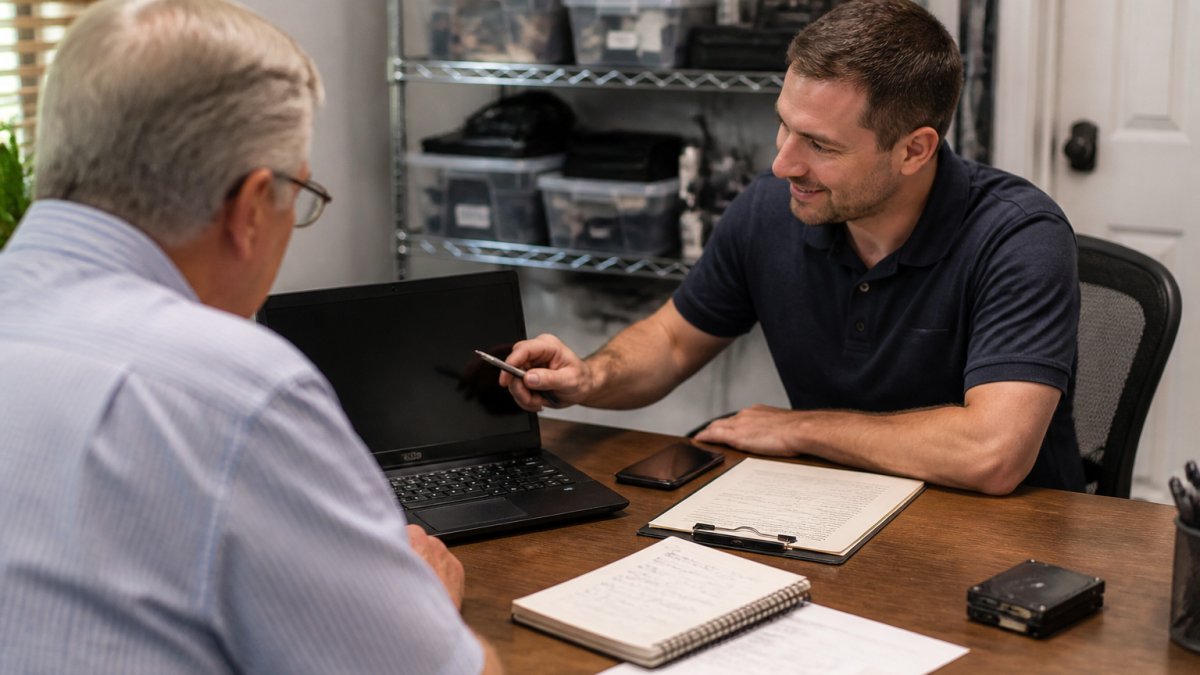
Before you leave your computer with anyone, you should know what to expect. These questions protect you and make sure you're working with someone honest and trustworthy.
Ask about the diagnostic process:
- "How long does the diagnosis take?"
- "Will you charge me for the diagnosis if I decide not to fix it?"
- "How will you let me know what you find?"
Ask about costs:
- "What's the estimated repair cost?"
- "Are there any other costs I should know about?"
- "What happens if the repair costs more than you estimated?"
Ask about your data:
- "Will my files be safe during the repair?"
- "Do you back up my data before working on my computer?"
- "What happens to my personal information?"
Ask about timeline:
- "When will my computer be ready?"
- "Can you do same-day repair?"
- "What if the repair takes longer than expected?"
Ask about guarantees:
- "Do you offer any warranty on the repair?"
- "What if the same problem happens again?"
- "What if something else breaks during the repair?"
You deserve to know what's happening with your device and how much it will cost.
Understanding Computer Repair Cost and Getting a Fair Estimate
Repair costs vary widely depending on what's wrong. The key is understanding what you're paying for and making sure the price is fair.
When you get an estimate, make sure it includes:
- The specific problem, What exactly is wrong
- The solution, How the technician will fix it
- The cost breakdown, Parts, labor, and any other charges
- A timeline, When you'll get your device back
At TonyV's Tech Repair, our Basic Repair Service starts at $25 and covers expert diagnosis, troubleshooting, and fixes for most common issues. For new device setup, we charge $35. Emergency same-day repairs are $85 when you need your device back fast. We also offer a Monthly Tech Support Plan for $30 if you want ongoing help throughout the month.

Don't be afraid to ask why something costs what it does. If a repair seems too expensive, you can always ask about alternatives. Sometimes a partial fix costs less than a full replacement, and that might be worth discussing.
One important question: what happens if the repair costs more than expected?
Computer Repair Glossary: Plain-English Explanations of Terms You'll Hear
Technicians sometimes use words that don't mean much if you're not familiar with computers. Here are the terms you're most likely to hear, explained in plain English.
Hardware, The physical parts of your computer you can touch: the screen, keyboard, hard drive, and circuit boards inside.
Software, The programs and instructions that make your computer work: Windows, email programs, web browsers, and apps.
Hard drive, The part inside your computer that stores all your files, photos, and programs.
RAM, Memory that helps your computer run programs quickly. More RAM usually means your computer runs faster. It's temporary, it clears when you turn off your device.
Virus or malware, Harmful programs that sneak onto your computer and cause problems. They can slow your device down or make programs crash.
Crash, When your computer suddenly stops working or a program closes unexpectedly.
Freeze, When your computer stops responding to clicks or keyboard input. You can't move the mouse or type anything.
Update, New software that fixes problems or adds features. Windows updates, app updates, and security updates all keep your device safer.
Backup, A copy of your important files stored in a safe place, like an external drive or cloud storage. If something goes wrong, you don't lose your photos or documents.
Cloud, Storage space on the internet where you can save files. You can access them from any device with internet connection.
Password, A secret code that protects your accounts and files from other people.
Antivirus, Software that protects your computer from viruses and malware.
Driver, Software that helps your computer communicate with hardware like printers, keyboards, or monitors.
When a technician uses a term you don't understand, ask them to explain it in simpler words.
What to Expect During Your Local Computer Repair Appointment
Walking into a repair shop can feel intimidating if you're not sure what's going to happen. Here's what a typical appointment looks like, step by step.
When you arrive: The technician will ask you to describe the problem. Take your time explaining. They'll ask follow-up questions to understand exactly what's happening. This is the diagnostic phase, and it's important to get it right.
During the diagnosis: The technician will run tests on your device. They might check for viruses, look at how much space is left on your hard drive, or test individual components.
Getting the estimate: Once they know what's wrong, they'll tell you what needs to be fixed and how much it costs. They should explain it in terms you understand. If you don't understand something, ask questions. This is your device and your money.
The repair: If you approve, the technician gets to work. They'll keep your device and work on it. For bigger repairs, it could take longer. They should give you a time estimate.
Before you leave: The technician should show you that your device is working again. They should explain what was wrong and what they did to fix it. Ask them to walk you through how to avoid the problem in the future if possible.
After the repair: Make sure you understand what warranty or guarantee they offer.
The whole experience should feel friendly and patient. You shouldn't feel rushed or confused.
Data Privacy and Backups: Protecting Your Information During Repair
Your computer holds personal information: passwords, bank details, photos, email, and documents. When you hand your device to someone for repair, you have every right to worry about privacy.
Before the repair: Ask the technician what steps they take to protect your data.
About backups: If your hard drive is failing, ask if the technician can back up your files before they repair or replace the drive. This protects your photos, documents, and other important data. Some repairs require backing up your data first. Others don't. Ask which applies to you.
Your passwords: You don't need to give your passwords to a technician. If they need to test something that requires a password, you can enter it yourself, or they can do the work without accessing password-protected areas.
After the repair: Ask what happened to your data. Was it backed up? Is it still on your device? Did anything get deleted? You should know exactly what's on your computer when you get it back.
If you're worried about privacy, set up a guest account on your computer before the repair. Let the technician work from that account instead of your main one.
Finding the right local computer repair means finding someone who explains things clearly, charges fairly, and treats your device with care. You shouldn't have to understand technical jargon to get your computer fixed. You shouldn't have to guess what something will cost. And you shouldn't feel rushed or confused during the process.
TonyV's Tech Repair is built on the idea that honest, jargon-free service should be the standard. We've been helping the community for five years with straightforward solutions. Whether you need emergency same-day repair when something breaks unexpectedly, or you want ongoing monthly tech support to keep your devices running smoothly, we're here to help. Book a service with us today and get your computer working again, without the runaround.
| Service | Cost | Best For |
|---|---|---|
| Basic Repair Service | $25 | Common issues, troubleshooting, setup |
| Installation/Setup | $35 | New devices, network setup, configuration |
| Emergency Same-Day Repair | $85 | Urgent problems, priority service |
| Monthly Tech Support Plan | $30/month | Ongoing help, unlimited questions |
Frequently Asked Questions
How do I know if a local computer repair shop is trustworthy?
Look for a technician who explains what's wrong in plain English, not technical jargon. Ask about their diagnostic process upfront and whether they charge for the diagnosis itself. Check if they offer a warranty on their work, and ask how long they've been in business.
What should I back up before taking my computer in for repair?
Back up any files you cannot afford to lose: photos, documents, financial records, and email. If you're not sure how to back up, ask your repair technician to help you do this before they start work. Backing up protects you in case something unexpected happens during the repair. If your device won't turn on, tell the technician this upfront so they know data recovery may be needed and can discuss options with you.
How long does a typical local computer repair take?
Ask your technician for a time estimate when you book. Same-day repair services prioritize urgent issues and aim to get you back up and running the same day, though complex hardware problems may take longer.
How do I know if a repair quote is fair?
A fair quote includes a clear breakdown of parts cost and labor time. Ask your technician to explain why each part or step is necessary. If a quote seems very high, ask whether repair or replacement makes more sense.